
Calendars
Neverkin’s calendar system is built for worlds where time doesn’t work like ours. The way you define calendars is a bit unusual, but the trade-off is near-total flexibility — both in structure and in duration.
Core principles
Section titled “Core principles”The system doesn’t assume anything about your calendars or the length of your story. It can represent pretty much any calendar, as long as you can define a top-level cycle — the longest period of time that repeats exactly.
In the Gregorian calendar, the top-level cycle is 400 years long. In the Julian calendar, it’s 4 years.
A second, softer principle: time units on the same level should be the same kind of unit. A year can consist of 12 months, but not of 10 months and 60 bananas. (A year of 70 varying-length bananas is fine, though.)
Calendars and worlds
Section titled “Calendars and worlds”Calendars belong to you, not to your worlds. You create and edit them from the calendar list, independently of any world.
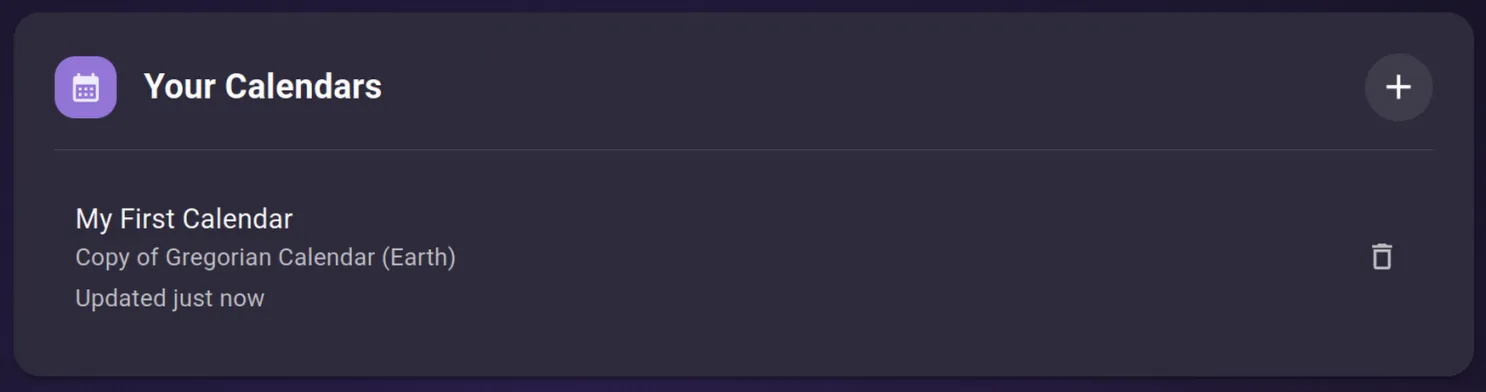
The + button creates a new calendar. Give it a name and, optionally, pick a template to start from (Gregorian, Pathfinder, RimWorld, and others) — or start from nothing. Each entry shows the calendar’s name, a short description, and when it was last changed.
When you assign a calendar to a world, the world gets its own copy. From that point on the two are independent — editing the original doesn’t touch any world, and a world’s copy never changes on its own.
To push changes into a world, assign the calendar again. Reassigning replaces the world’s copy wholesale.
Editing existing calendars
Section titled “Editing existing calendars”Selecting a calendar from the list opens the editor. It’s split across three tabs — Calendar, Time Units and Presentation — under a header that stays visible whichever tab you’re on.
The header
Section titled “The header”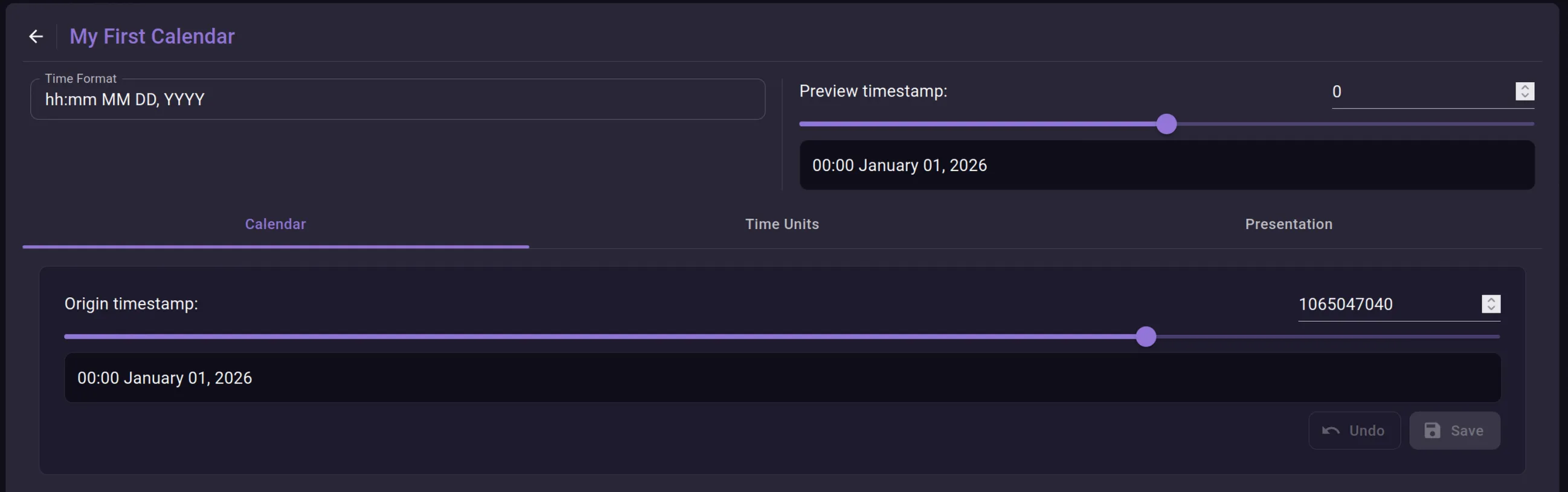
Time Format (top left) is the format string used to render timestamps as dates. For the Gregorian calendar it reads hh:mm MM DD, YYYY, which produces dates like 00:00 January 01, 2026. Each letter is a shorthand for one of the calendar’s units. Repeating a letter widens the field: YYYY pads the year to four digits, DD to two. (This doesn’t currently apply to labelled units like months.) The shorthands aren’t fixed — you assign them per unit (see Formatting).
Characters that aren’t a unit shorthand print verbatim — that’s how the colon and comma above survive. To print a character that is a shorthand, escape it with a backslash: \h emits a literal h instead of the hour value, and \\ emits a literal backslash.
Preview timestamp (top right) is a scratch dial. Drag it or type a number to see how that integer renders through the current calendar. It only affects the preview — use it to sanity-check your format and structure as you go.
Origin timestamp
Section titled “Origin timestamp”The Calendar tab has one setting: the origin. Under the hood, every event is just an integer. The origin is the offset added to that integer before it becomes a date, so it decides which calendar date your world’s time-zero lands on — usually the start of your story.
The field takes a raw number, and the box below shows the date it resolves to. Adjusting the origin shifts the entire calendar relative to your events: every existing date moves with it.
Time units
Section titled “Time units”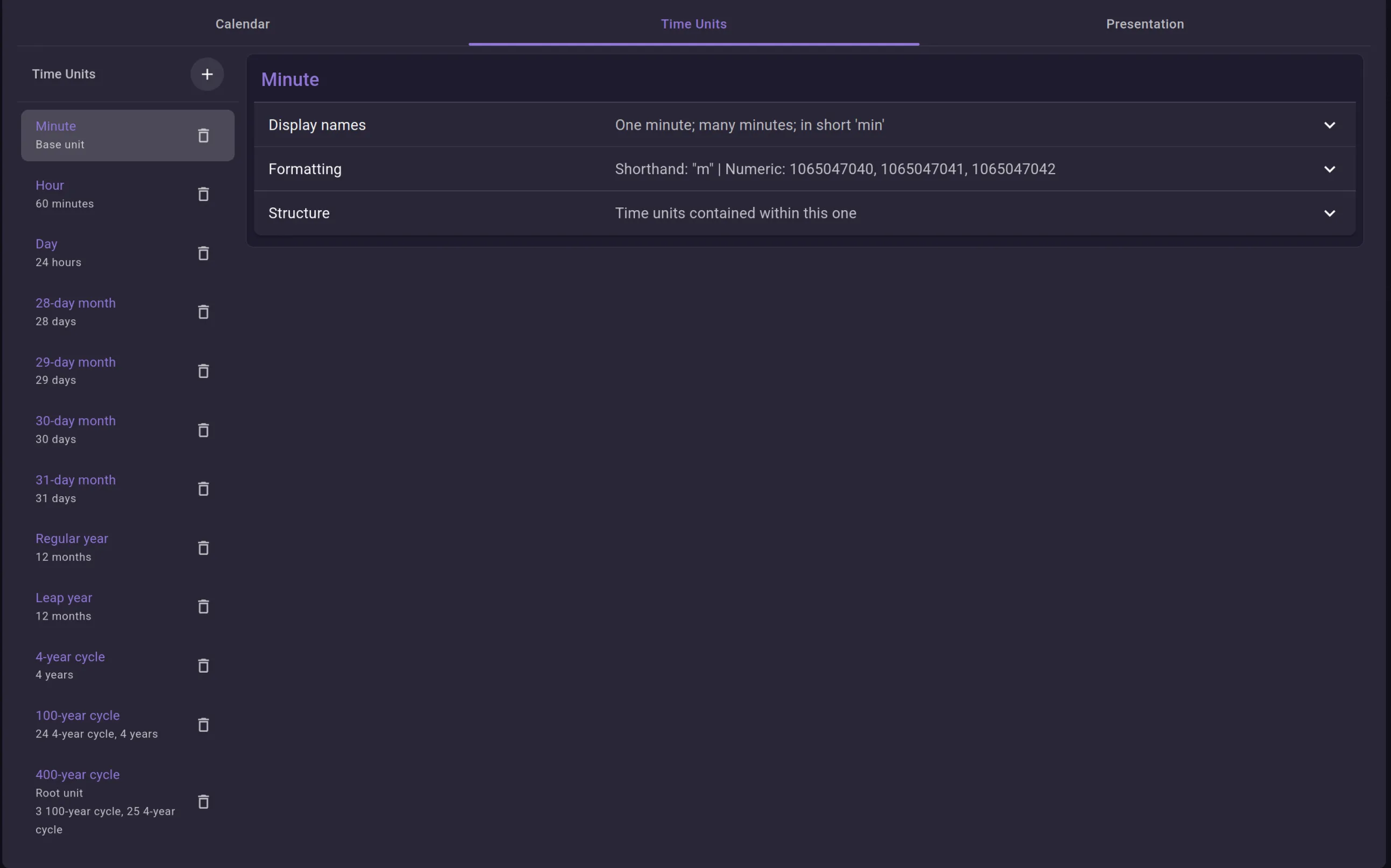
The Time Units tab is where the calendar is actually defined. The left column lists every unit from smallest to largest; selecting one opens its editor on the right, split into three collapsible sections: Display names, Formatting, and Structure.
A calendar is a tree of units. The smallest — here Minute — contains nothing and is marked Base unit; it’s the finest granularity the calendar can express. The largest — here the 400-year cycle — sits at the top and is marked Root unit. Everything in between is built up from the bottom: an Hour is 60 Minutes, a Day is 24 Hours, and so on. The caption under each unit summarises what it holds (60 minutes, 24 hours, 3 100-year cycle, 25 4-year cycle).
Display names
Section titled “Display names”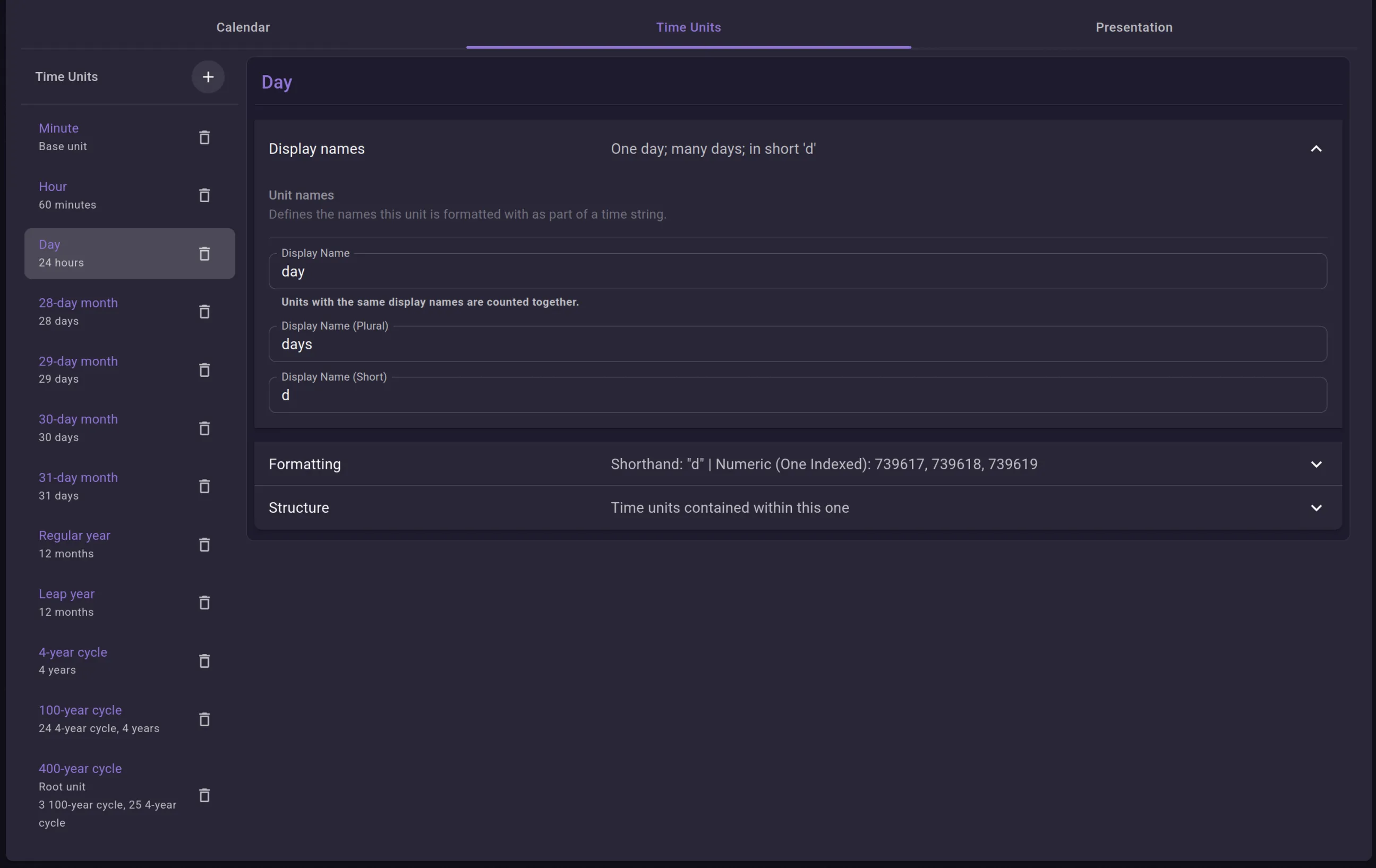
Each unit has three names:
- Display Name — singular form (
day). - Display Name (Plural) — used when there’s more than one (
days). - Display Name (Short) — abbreviated form (
d).
These are display labels only; changing them never affects the structure.
The note under the field — units with the same display names are counted together — matters for calendars like the Gregorian one. The Gregorian calendar defines four separate month units (28-, 29-, 30- and 31-day), but they all share the display name month. Because of that, they form one continuous sequence when a date is broken down: first month, second month, through to the twelfth, regardless of which underlying unit each one actually is. Give them distinct display names and they’d be counted separately instead.
Formatting
Section titled “Formatting”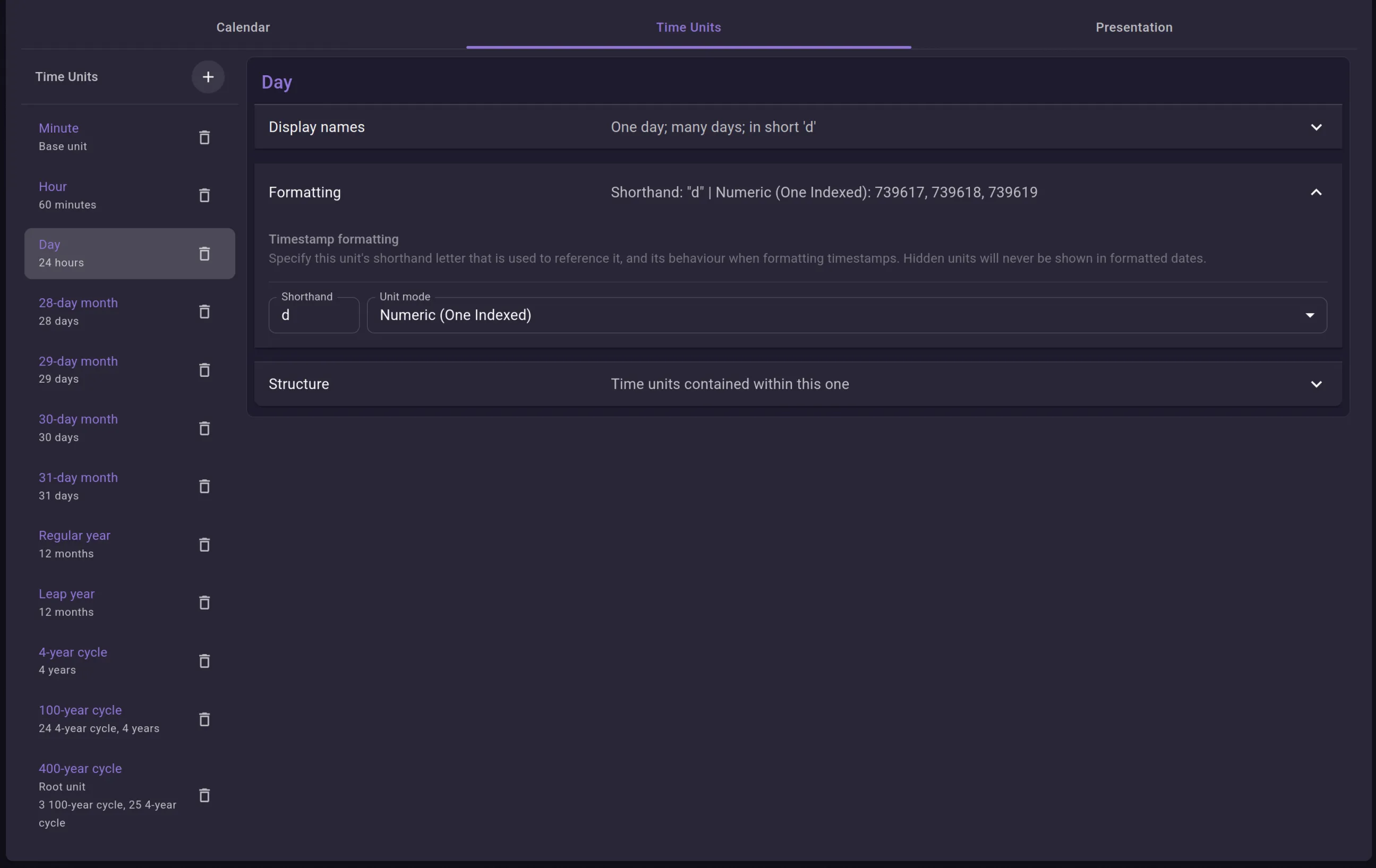
Formatting controls how a unit appears in the date string. Two fields:
- Shorthand — the single letter representing this unit in the Time Format string. Day uses
d, soDDin the format renders the day value. Case is ignored unless two units share the same letter in different cases — Minute ismand month isM, so a format likehh:mm MMtells them apart. - Unit mode — how the value renders:
- Name — the name followed by the value. A single letter uses the short name (
d 5), repeated letters use the full name (day 5). - Name (One Indexed) — same, but counting starts at 1 instead of 0.
- Numeric — just the number, zero-padded to the letter count (
DD→05). - Numeric (One Indexed) — same, starting at 1. Day uses this, so the first day of a month is
01, not00. - Hidden — the unit never appears in a formatted date, regardless of the format string. Structural units like the year-cycles use this.
- Name — the name followed by the value. A single letter uses the short name (
Custom labels set on a unit’s parent (see Custom labels) override the Name modes entirely. Negative values keep the same padding with a leading minus, and one-indexing only shifts values up from zero.
The collapsed section summary previews the result — Numeric (One Indexed): 739617, 739618, 739619 shows three consecutive days as they’d actually render.
Structure
Section titled “Structure”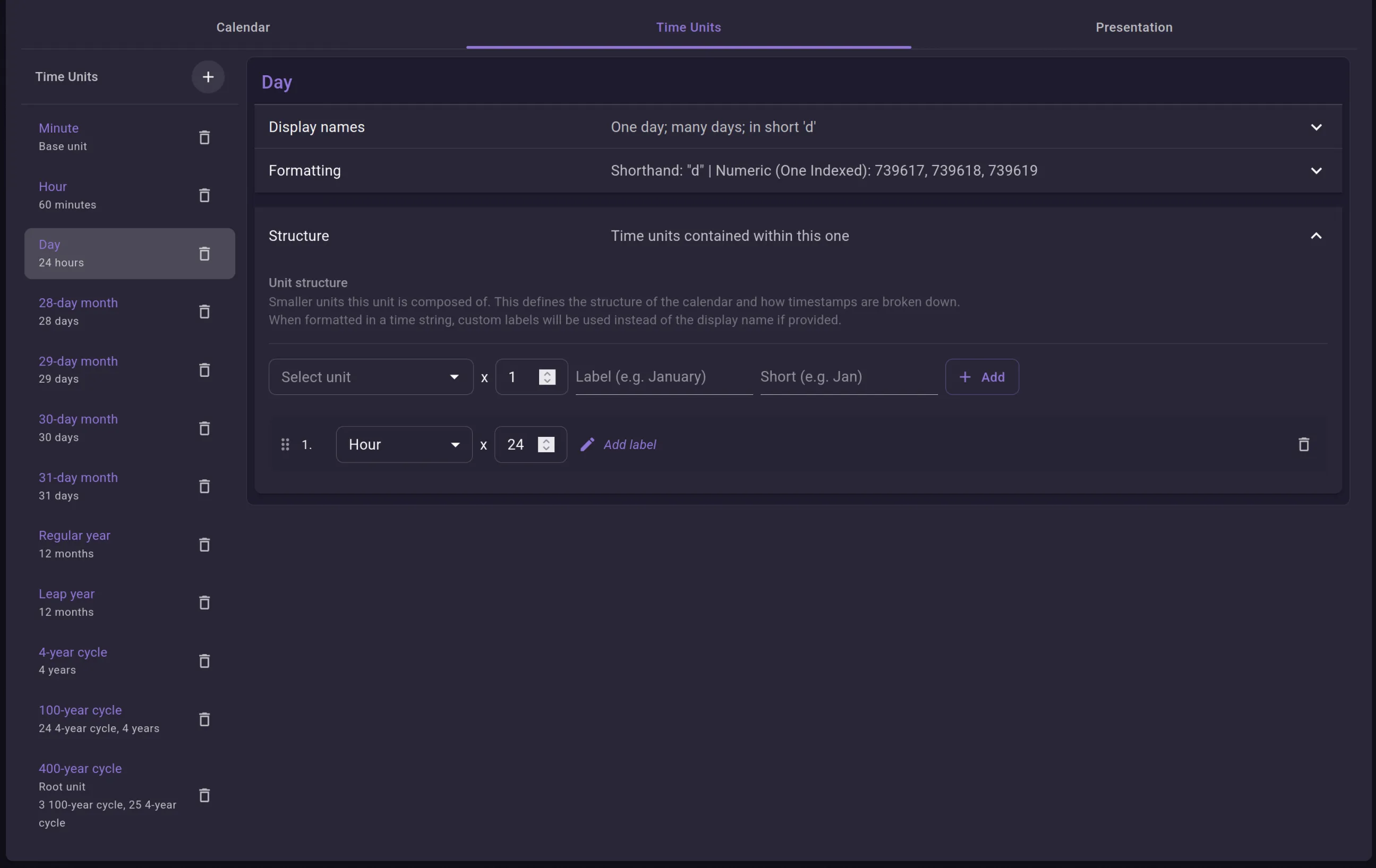
Structure is what turns a unit into a container. It lists the child units this one is built from, each with a repeat count. A Day holds one child: Hour x24.
To compose a unit, pick a child from the dropdown, set how many times it repeats, and add it. A unit can hold several different children in sequence — that’s how a year is assembled from months of differing lengths. The two extra fields on the add-child row, Label and Short, are for custom labels (covered next).
Custom labels
Section titled “Custom labels”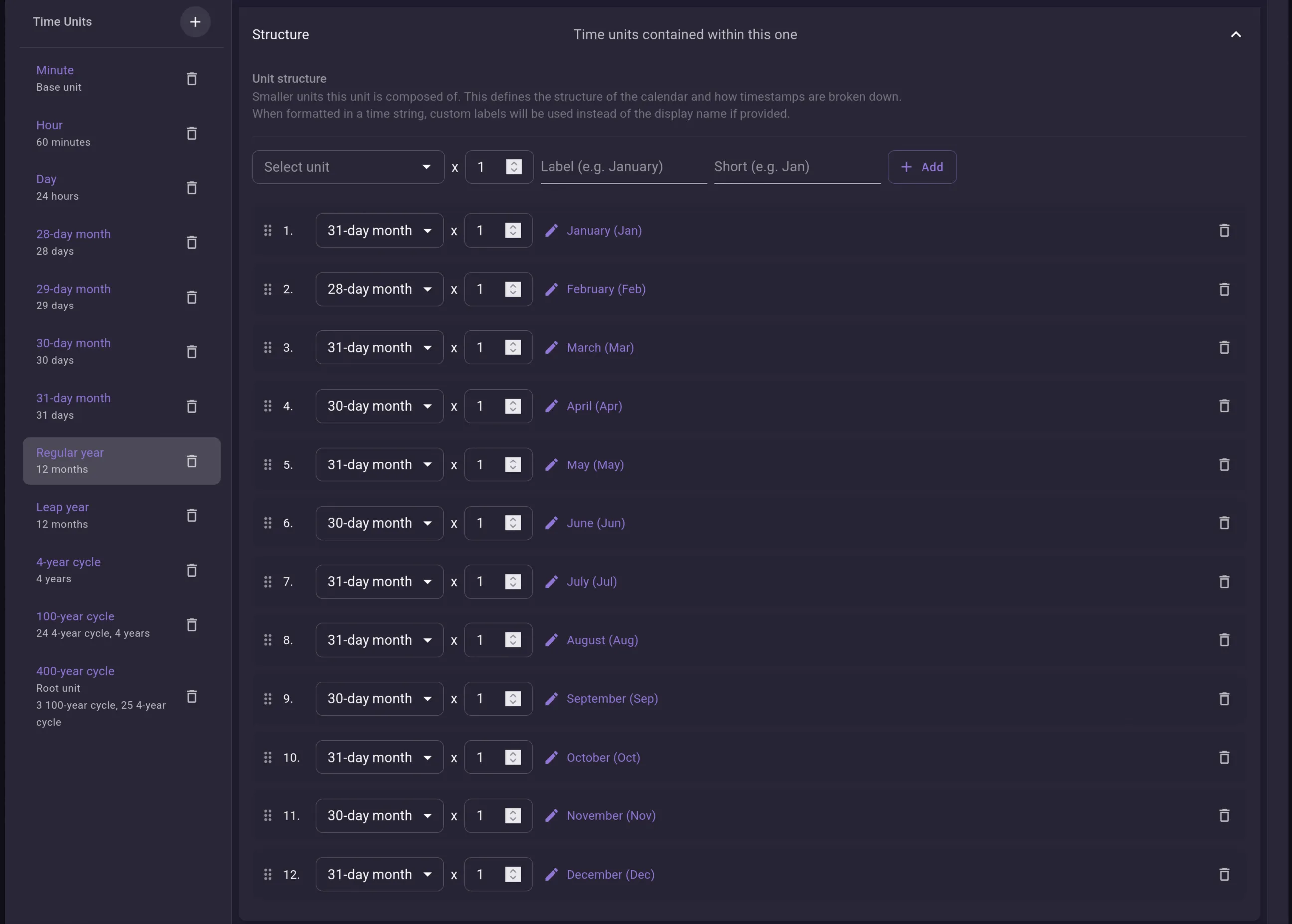
A Regular year shows why labels exist. It’s built from twelve month units in order — a 31-day month, then a 28-day, then a 31-day, and so on — but on their own these would all format as a generic “month”. The custom Label (and its Short form) overrides the display name for that one slot in the parent: the first month becomes January / Jan, the second February / Feb, and so on.
The label lives on the relationship between parent and child, not on the unit itself. The same 31-day month unit can be January in one slot and March in another. When formatting a date, custom labels are used in place of the unit’s display name wherever one is set.
Cycles
Section titled “Cycles”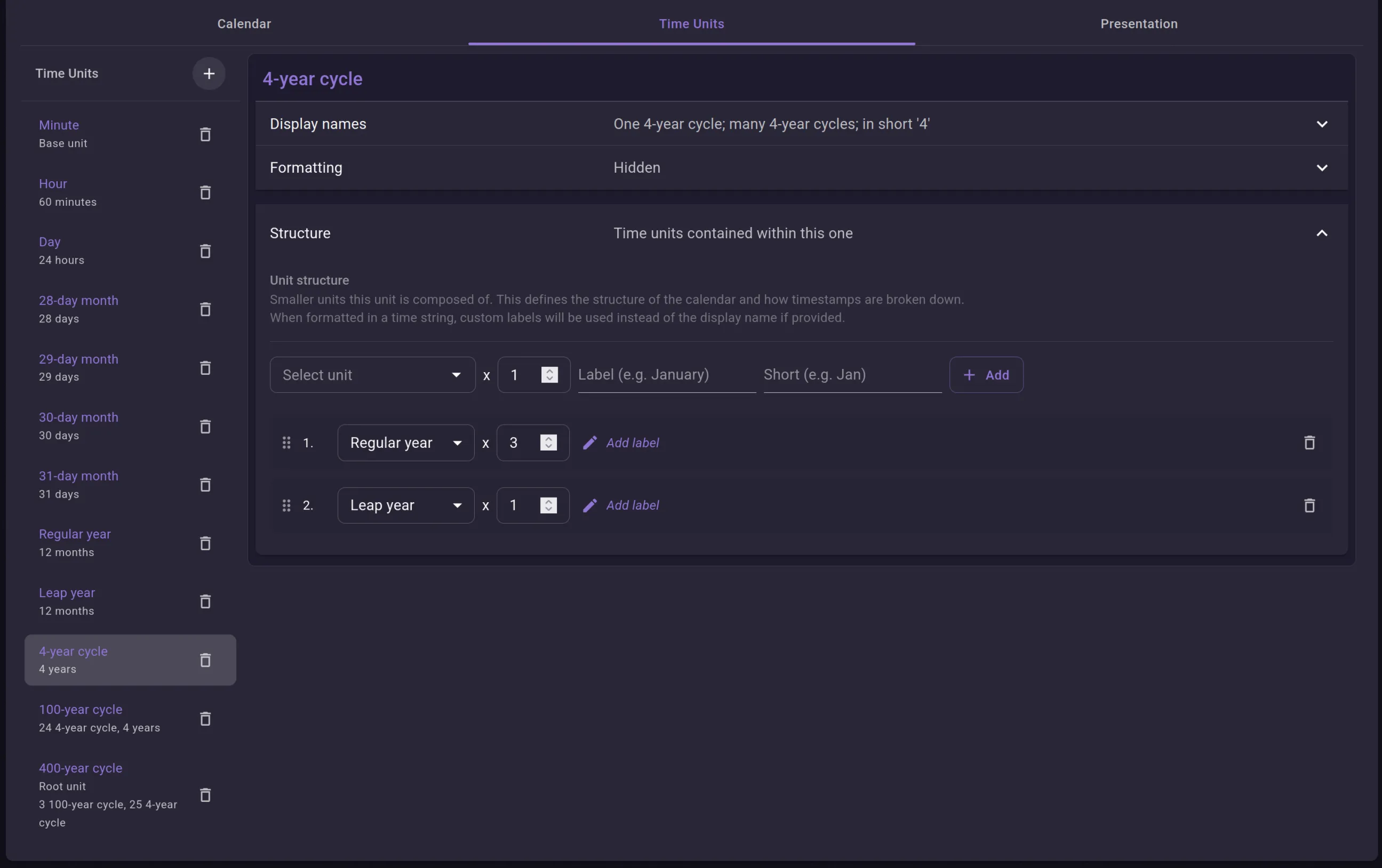
The top of the Gregorian tree - or most real-world calendars implemented in Neverkin - is a stack of cycles. A 4-year cycle is just Regular year x3 plus Leap year x1. The 100-year cycle is twenty-four 4-year cycles plus four lone regular years; the 400-year cycle is three 100-year cycles plus twenty-five 4-year cycles.
There’s no intercalation rule here — no “every fourth year, except centuries, except every four-hundredth year”. The calendar never computes a leap year. It stacks fixed-length units in a repeating pattern, and that pattern happens to reproduce the Gregorian rules exactly: three 365-day years and one 366-day year per four, with the century corrections folded into the larger cycles (97 leap years every 400). All three cycle units are Hidden, so they shape the structure without surfacing in dates.
Cycles of the Gregorian
Section titled “Cycles of the Gregorian”The Gregorian calendar as implemented in Neverkin looks as follows:
- 400-year cycle (Hidden) -> 100-year cycle x3 + 4-year cycle x25
- 100-year cycle (Hidden) -> 4-year cycle x24 + Regular year x4
- 4-year cycle (Hidden) -> Regular year x3 + Leap year x1
Both regular and leap years are composed of 12 months, but the month definitions differ: February is defined as either a “28-day month” or a “29-day month”, and the other months are 30 or 31 days long.
A day is defined as 24 hours; an hour is defined as 60 minutes; and a minute isn’t defined as anything. Having no subdivisions, a minute becomes the smallest unit of time. You could easily define a minute as having 60 seconds. The default calendar doesn’t have it defined for the simple reason that in most stories, per-second precision isn’t required.